
Moderation api changelog
Unified moderation API endpoint
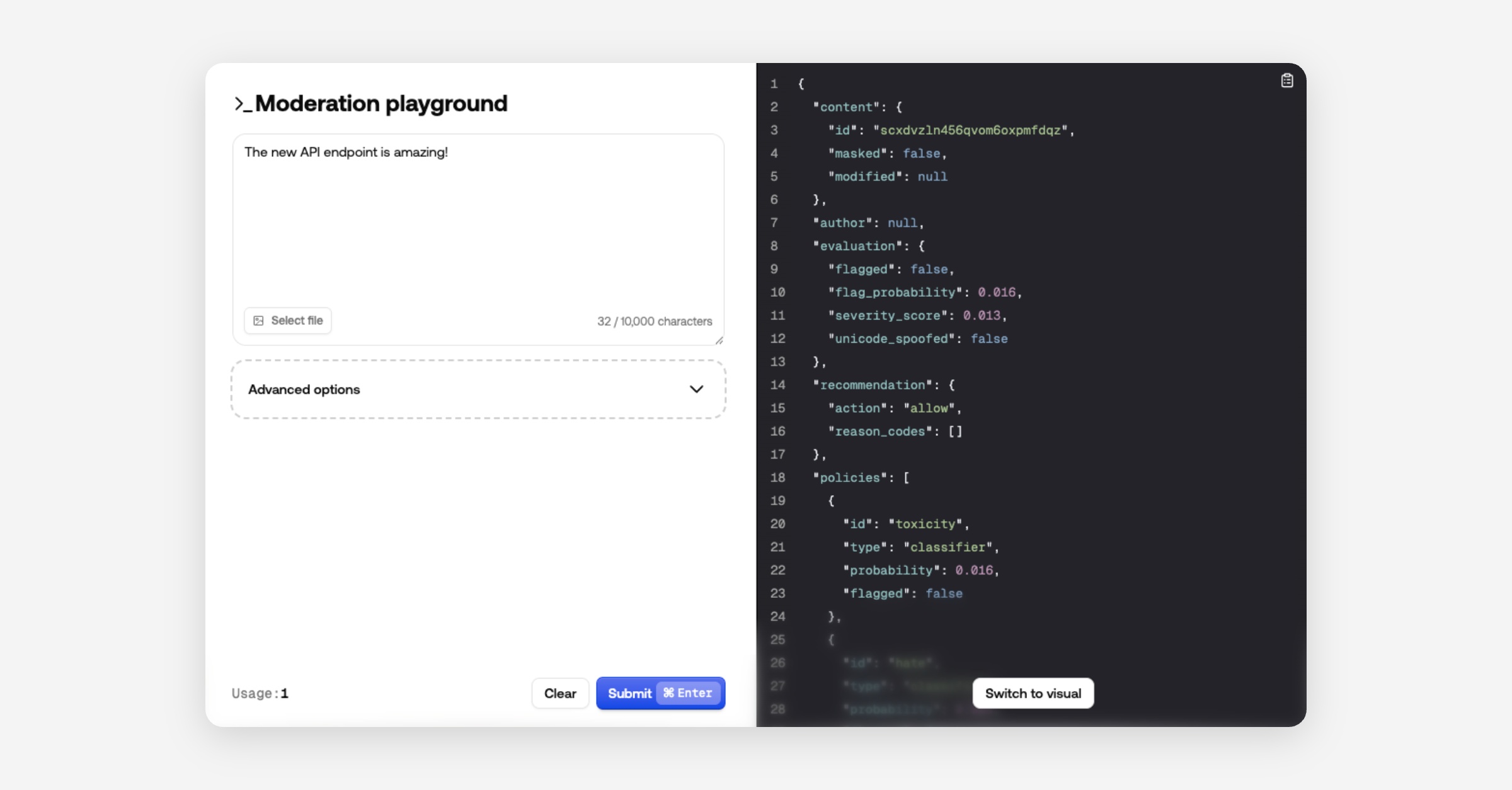
We’ve consolidated all moderation routes into a single endpoint to simplify integrations and deliver richer, consistent responses.
New unified endpoint:
https://api.moderationapi.com/v1/moderate
Deprecated:
/moderate/text/moderate/image/moderate/object/moderate/video
The new endpoint streamlines submissions and introduces improved response data, including several new fields.
New response fields
Evaluation
The evaluation field is the final result of the analysis of your policies and other channel specific configurations. It includes a flagged field indicating if any policies caused a flag.
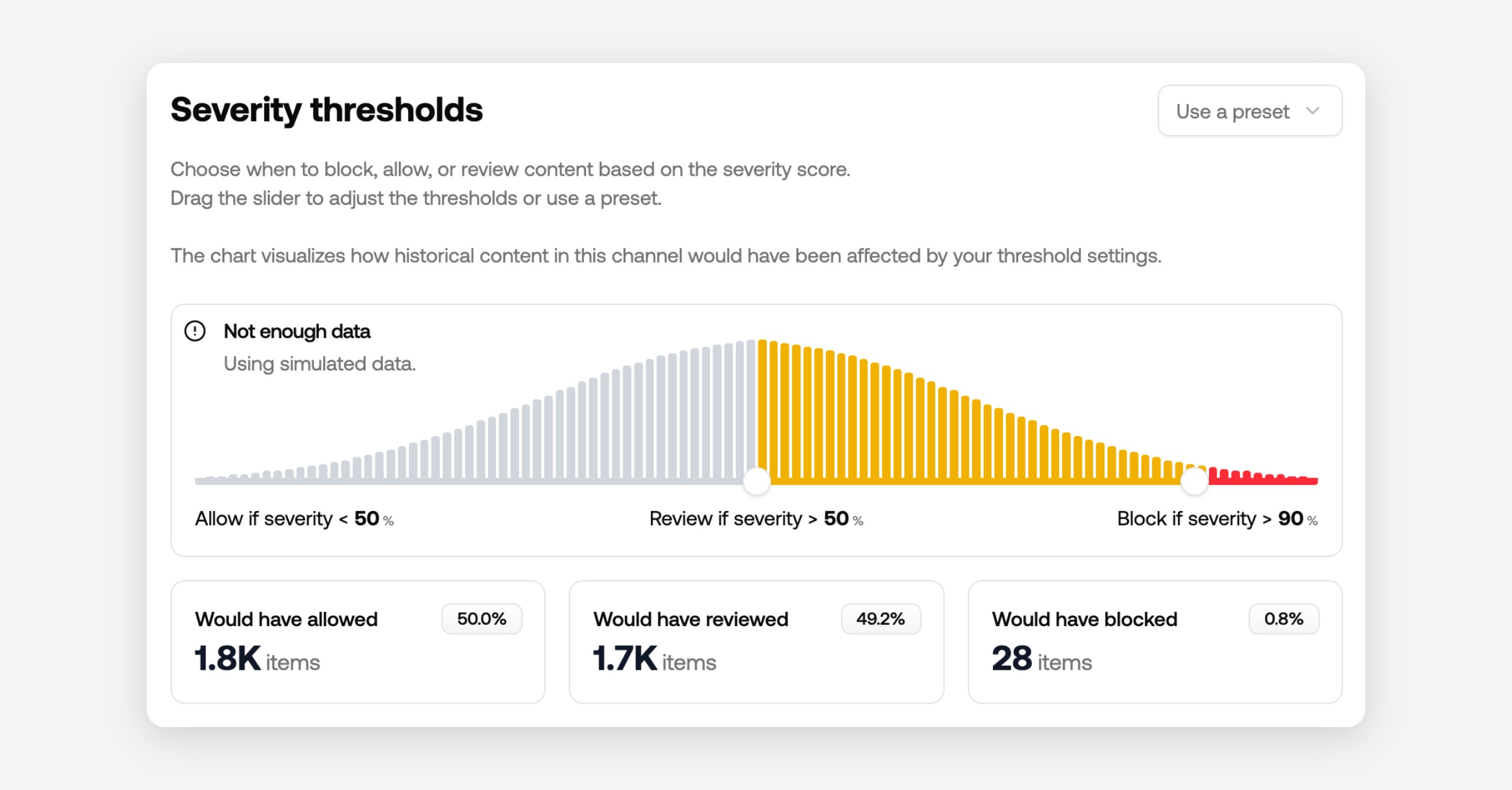
It also includes a new severity score which is calculated based on your selected policies. A higher severity score indicates more serious violations and lower severity less serious.
The severity score can be used as a granular indication, where the flagged field is a simple binary indication. You can also use the severity score to prioritize content in your review queues.
Recommendation
The response also includes a recommended action to help you decide whether to reject, review or allow content.
We recommend using this field for deciding what to do with content in your code.
This recommendation primarily considers severityScore and author status (e.g., blocked or suspended).
You can adjust the thresholds for blocking or reviewing in your channel configurations.
Policies
All enabled policies are returned as an array, each with:
id: the policy’s unique identifier (matches the dashboard)
flagged: whether this policy triggered
probability: the model’s confidence
Some policies include extra data (e.g., PII detection returns matched items).
How to migrate
Using typescript SDK
Upgrade the SDK to at least v2.0.1.
Recommended: Remove the api key from the constructor and add your project API key in your env variables as
MODAPI_SECRET_KEY.
Update all calls in the moderate namespace to use
content.submitand follow the new content structure.Recommended: Include your channel key; use different channels per content type.
Rename contextId to conversationId.
Read flags from
evaluation.flaggedinstead of the root flagged key.Recommended: switch to use
recommendation.actioninstead of flagged, and check forreject,review, orallow.
import ModerationAPI from "@moderation-api/sdk";

const moderationApi = new ModerationAPI();

const result = await moderationApi.content.submit({
  content: { // new content structure
    type: "text",
    text: "Hello world!",
  },
  metaType: "message", // new field
  contentId: "message-123",
  authorId: "user-123",
  conversationId: "room-456", // renamed from contextId
  metadata: {
    customField: "value",
  },
});

// OPTION 1: Same behavior as before
if (result.evaluation.flagged) {
  // Block the content, show an error, etc...
}

// OPTION 2: Use the API's recommendation (considers severity, thresholds, and more)
switch (result.recommendation.action) {
  case "reject":
    // show error, don't save to db
    break;
  case "review":
    // save to db, but review in moderation API dashboard
    break;
  case "allow":
    // save to db
    break;
}
Using API endpoint directly
Switch base URL from
https://moderationapi.com/api/v1tohttps://api.moderationapi.com/v1Replace all calls under
/moderate/{type}with/moderateand follow the new structure for content.Recommended: If you previously used multiple API keys for different projects, you can now use one key and pass different channel keys per call.
Rename contextId to conversationId.
Read flags from
evaluation.flaggedinstead of the root levelflaggedkey.Recommended: Prefer
recommendation.actionoverevaluation.flagged, and check forreject,review, orallowas shown above.
Dive deeper in the docs
See full API reference and content schema: