
Moderation api changelog
Revamped dashboard
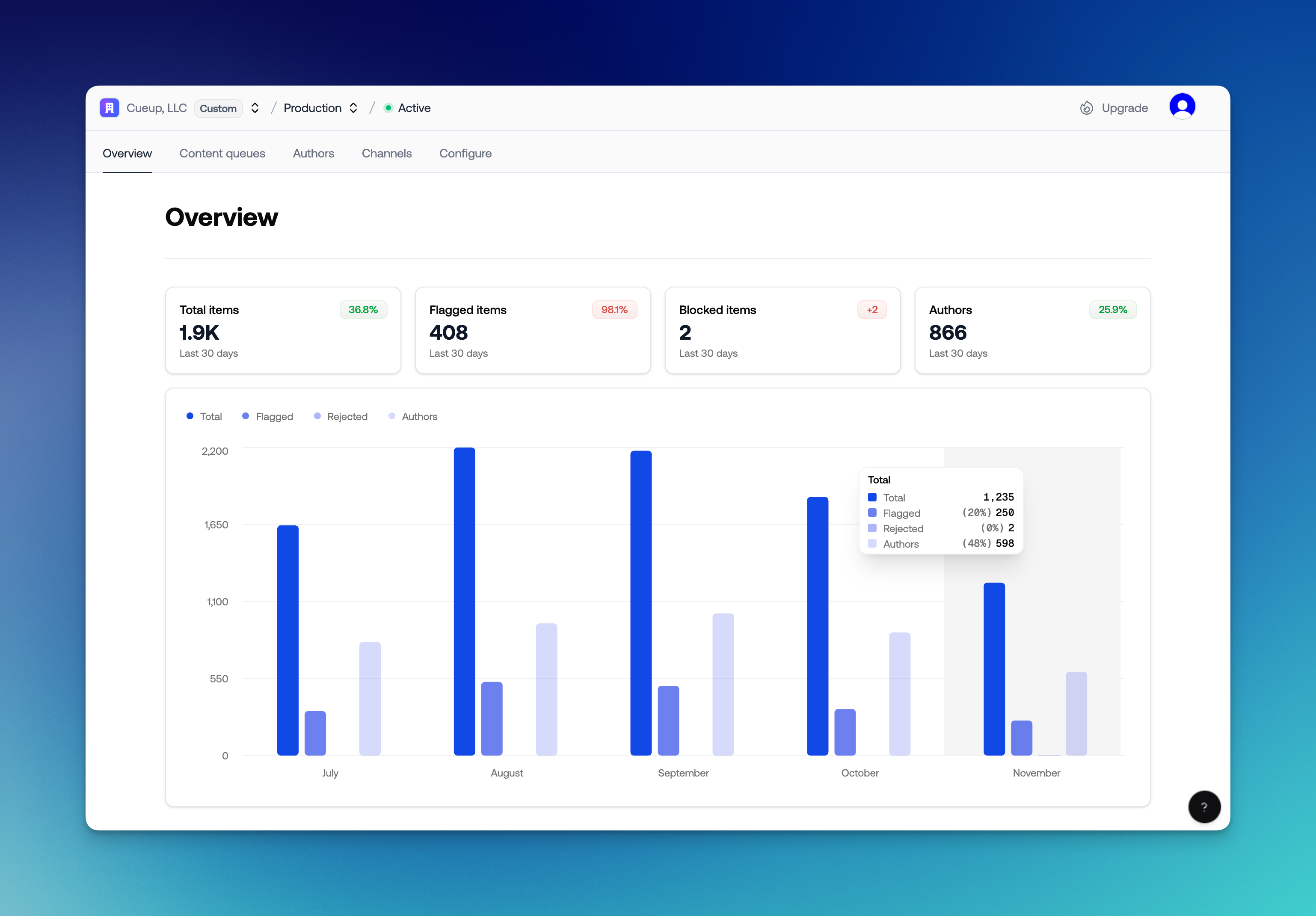
Next time you sign in to Moderation API, the dashboard will look, and work, very differently. We rebuilt it from the ground up to:
Make it easier to configure moderation policies
Improve the development experience
This redesign introduces channels, clearer project scoping, smarter content types, and a faster, more testable workflow.
Content channels
We’re adding a new abstraction: channels.
Think of channels as receivers for different content types. Policies are configured per channel, so each content type can have its own rules. In API calls, you just pass the channel key to apply the right policy set.
Examples for a marketplace:
Chat messages
Reviews
Listing descriptions
Profiles
Channels can represent anything that needs distinct rules: community trust levels, individual apps, client workspaces, and more.
Note: Existing “projects” have been converted to channels, with your previous filters mapped to policies. If you update your configuration, please use the new API endpoint.
Content types
Often our projects require moderating different types of content. Messages, websites, comments, profile descriptions, just to name a few.
Knowing which type of content is being moderated is beneficial for a couple of reasons;
It gives us context to improve the accuracy of the moderation.
We can display the content in a more meaningful way
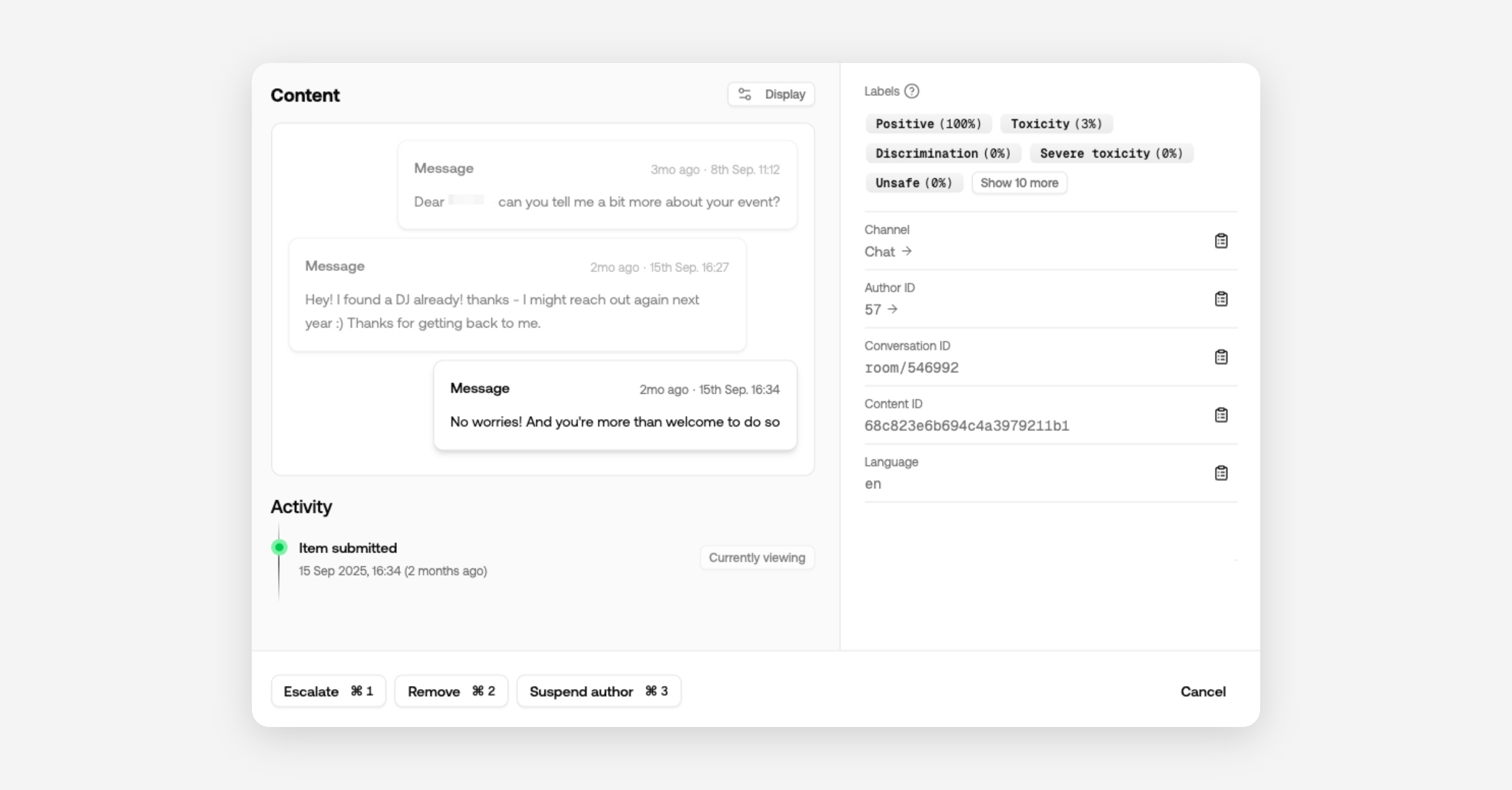
For example for messages we can look back in the conversation history to gain context, and for comments we can check the relevancy of the article or post.
In the dashboard you'll see messages show up in the context of the conversations.
Profiles are displayed as structured objects (picture, description, username), making it obvious which field triggered a flag.
Configure content types per channel or include them in your API call when submitting content.
Projects
Projects now encapsulate all content and users. Review queues, channels, authors, API keys, and moderation actions are scoped to a single project.
That means you can create projects for different development environments to keep test content out of production.
Agencies can create a project per client and invite them to a dedicated review queue.
Custom models and wordlists remain at the organization level, so improvements roll out automatically to all projects.
Playground
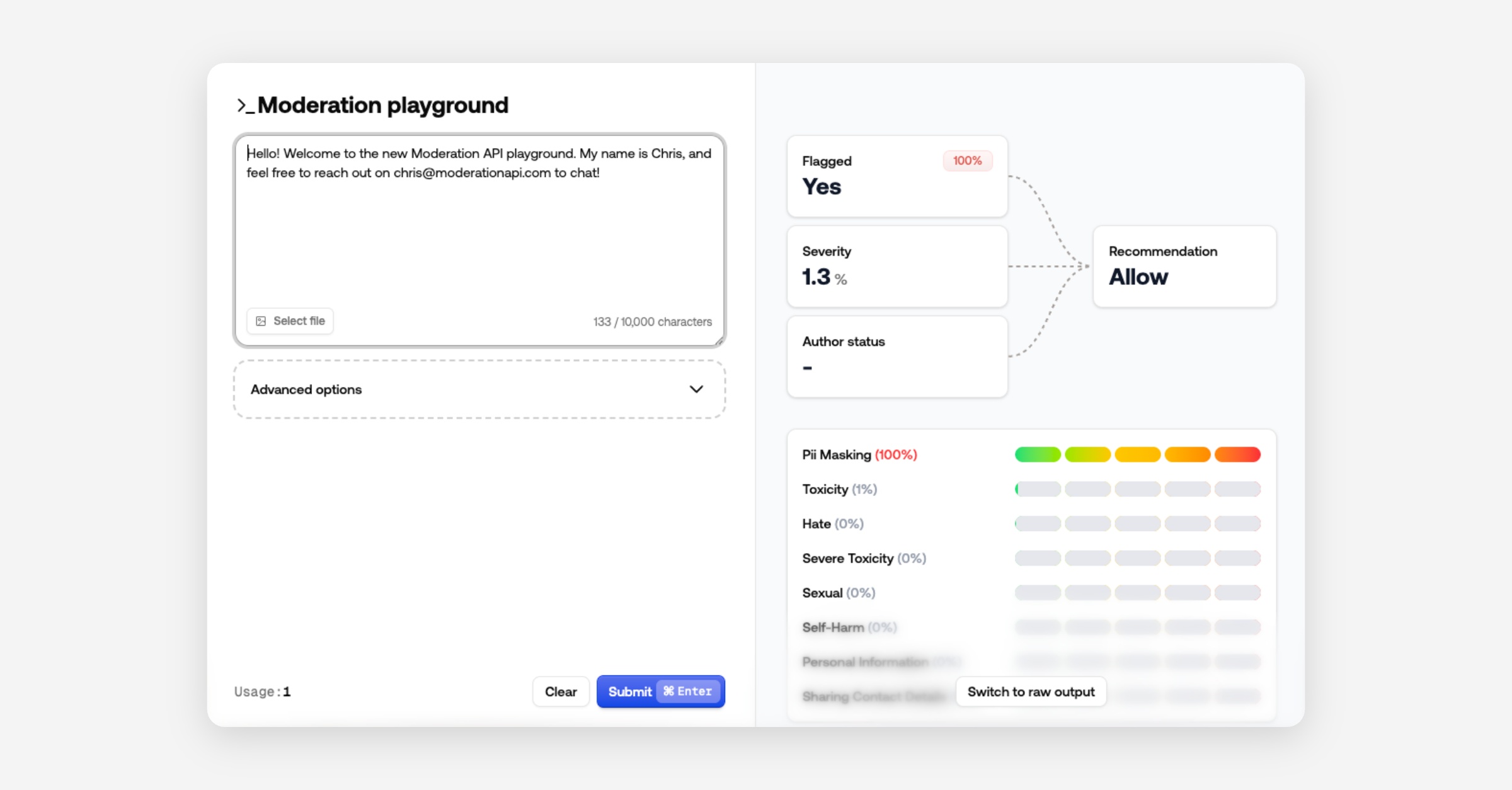
The Playground is now a modal for quick policy iteration and testing.
It also includes results of our new recommendation fields and severity score to show what contributed to the recommended action.
Prefer raw JSON? Switch views - the dashboard remembers your choice.
Other changes
Use channel ID or key in API calls (instead of changing API keys)
AI agents removed in favor of channel-level custom guidelines
Easier organization switching
Performance improvements and bug fixes
Press an author ID in the Content View to navigate directly to that author
Improved authentication
Content severity score in API result
Sort review queues by severity
Recommended action in API result - block, review, allow