
Moderation api changelog
Recommendation Reasons in Item Detail
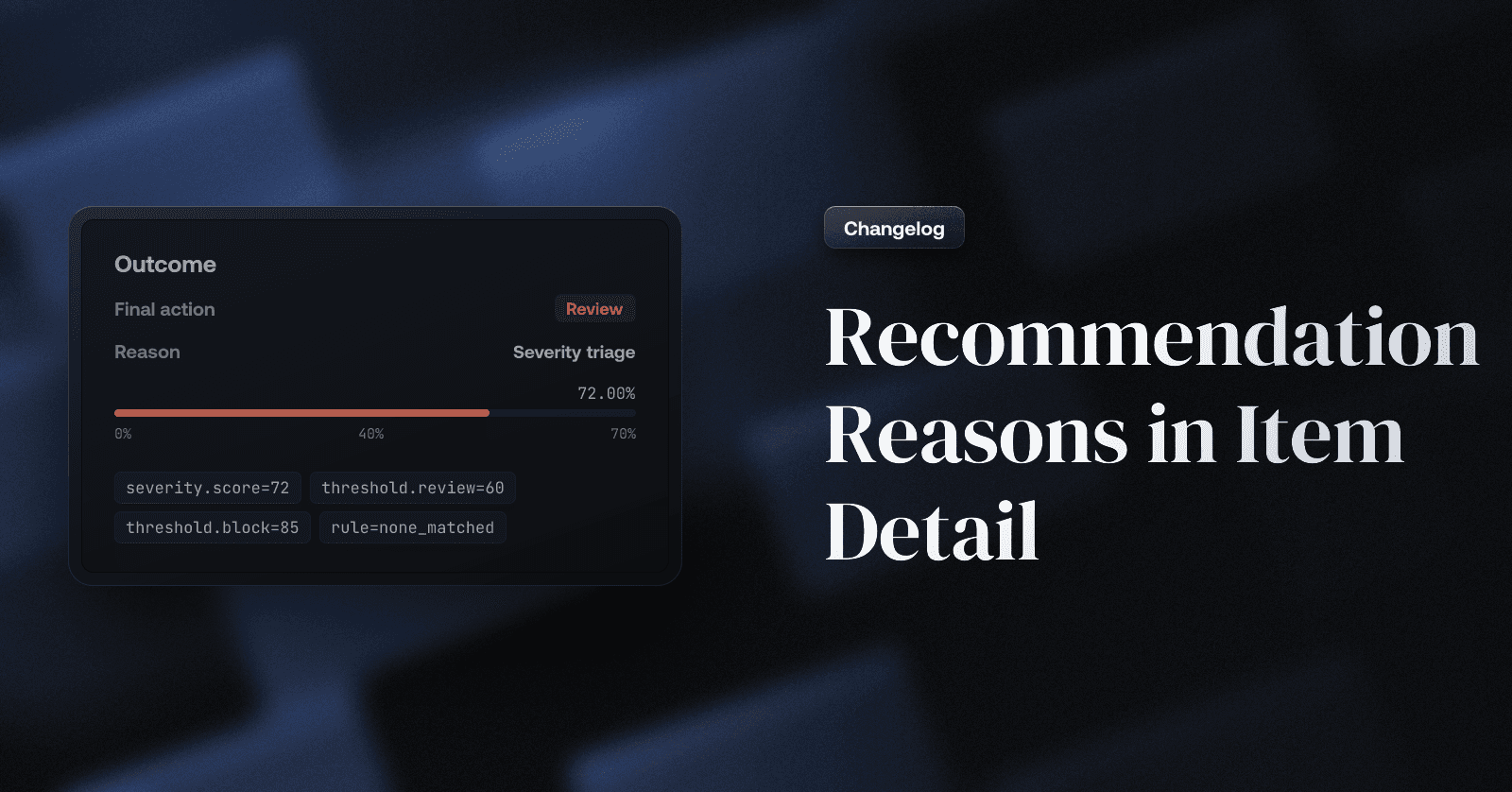
See why an item was rejected, sent to review, or allowed — which rule fired, the severity score, and the thresholds behind it — right in the item detail view.
When a moderation decision lands in your queue, the first question is always the same:
why? Until now the item detail view showed the recommended action, but not what caused
it.
Today, the item detail view gains an Outcome section that explains every automated
recommendation.
How it works
At the top of every item's detail you'll now see:
Action — Reject, Review, or Allow, with a note when your own application escalated
the decision via a client action.Severity — the item's severity score.
Rule — the rule from your channel's cascade that produced the action: one of your
custom rules, the built-in severity triage (hover it to see the score plotted against
your channel's review and block thresholds), or the channel default when nothing
matched.
Label chips also gained hover tooltips showing each policy's score against its flag
threshold, whether it was shadow flagged (recorded for visibility, never counted toward
the decision), or manually corrected by a reviewer — with a shortcut to edit the policy.
The cause is also stored with every request as machine-readable reason codes in the
moderation API response, so you can build the same explanations into your own tooling.