
Moderation api changelog
Casebook

When you moderate with AI, two things go wrong. It flags content it should not flag. And it misses content it should flag. Either way you spend more time on manual review, or things slip through.
You can tune prompts and thresholds. But the real problem is that the AI does not learn from your reviews. You allow the same kind of item ten times, and the eleventh one still lands in your inbox.
Today we're introducing Casebook. It remembers every decision you make in the review inbox. When similar content shows up again, it makes the same decision for you.
How it works
Every item gets one of three recommendations: allow, reject, or review. Casebook works on the third one.
Take a marketplace that bans weapons. An airsoft gun listing gets flagged for firearms and lands in review. You allow it. Casebook records that. The next airsoft listing is allowed without you.
You review as usual: every allow and reject in the review inbox becomes a case. Nothing extra to do.
Casebook looks up new content: when an item arrives, it finds the closest cases and checks how you ruled on them.
It is careful on purpose: one example is not enough. Casebook needs a few agreeing cases before it rules on a pattern, and tells you when it needs more.
It sends the rest to you: if the evidence is thin, or past cases disagree, the item goes to review as before.
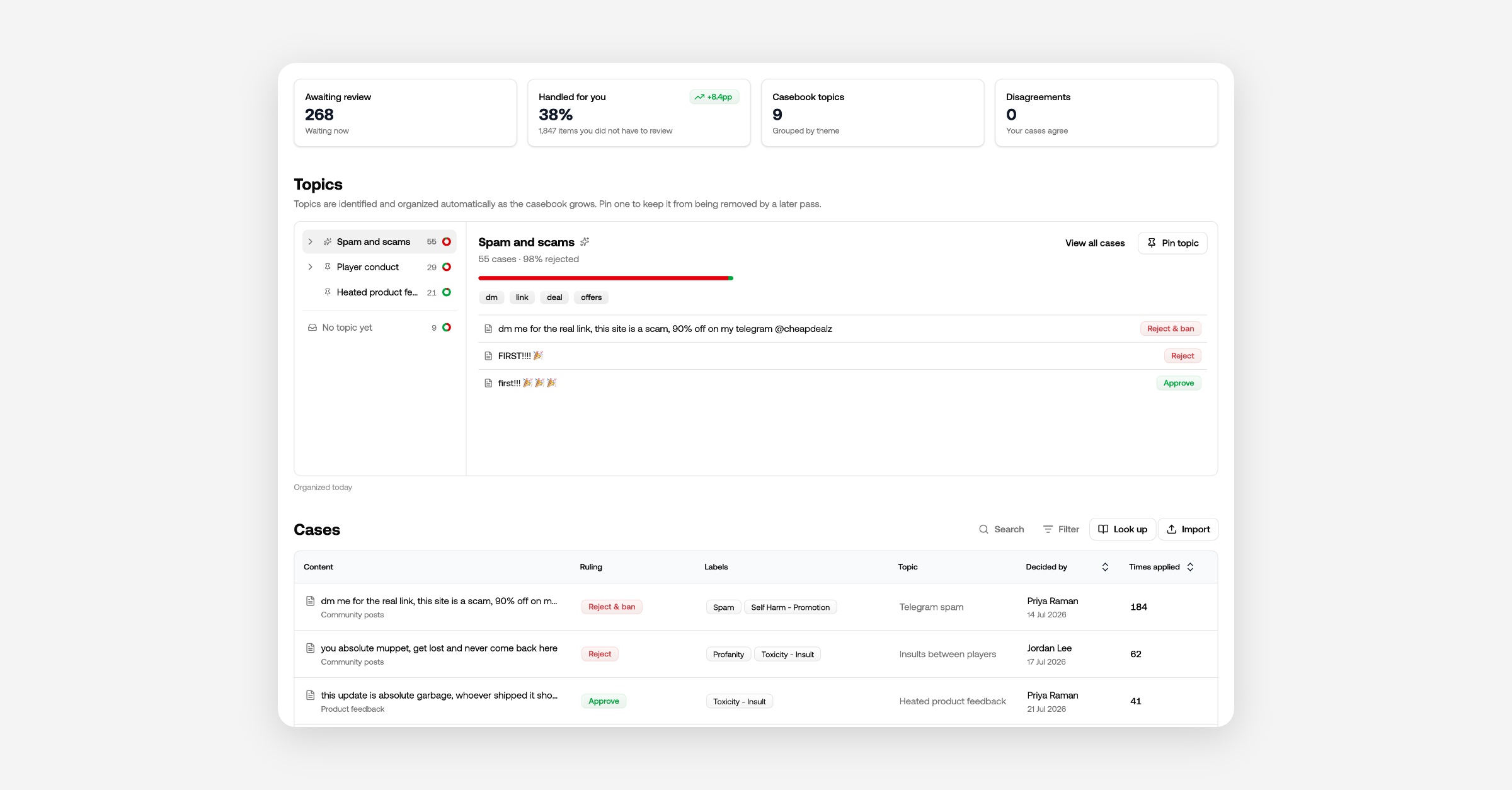
Resolve disagreements
Two reviewers, or one mistake, can leave you with similar content ruled both ways. Casebook will not rule on that pattern until you settle it. Open the disagreement and pick one:
Allow all of them.
Reject all of them.
Keep both rulings, when the cases really are different kinds of content.
Topics
Every day, Casebook sorts your cases into topics on its own. Open a topic like "Replica firearms" and you see how your team handles that kind of content. There is nothing to set up.
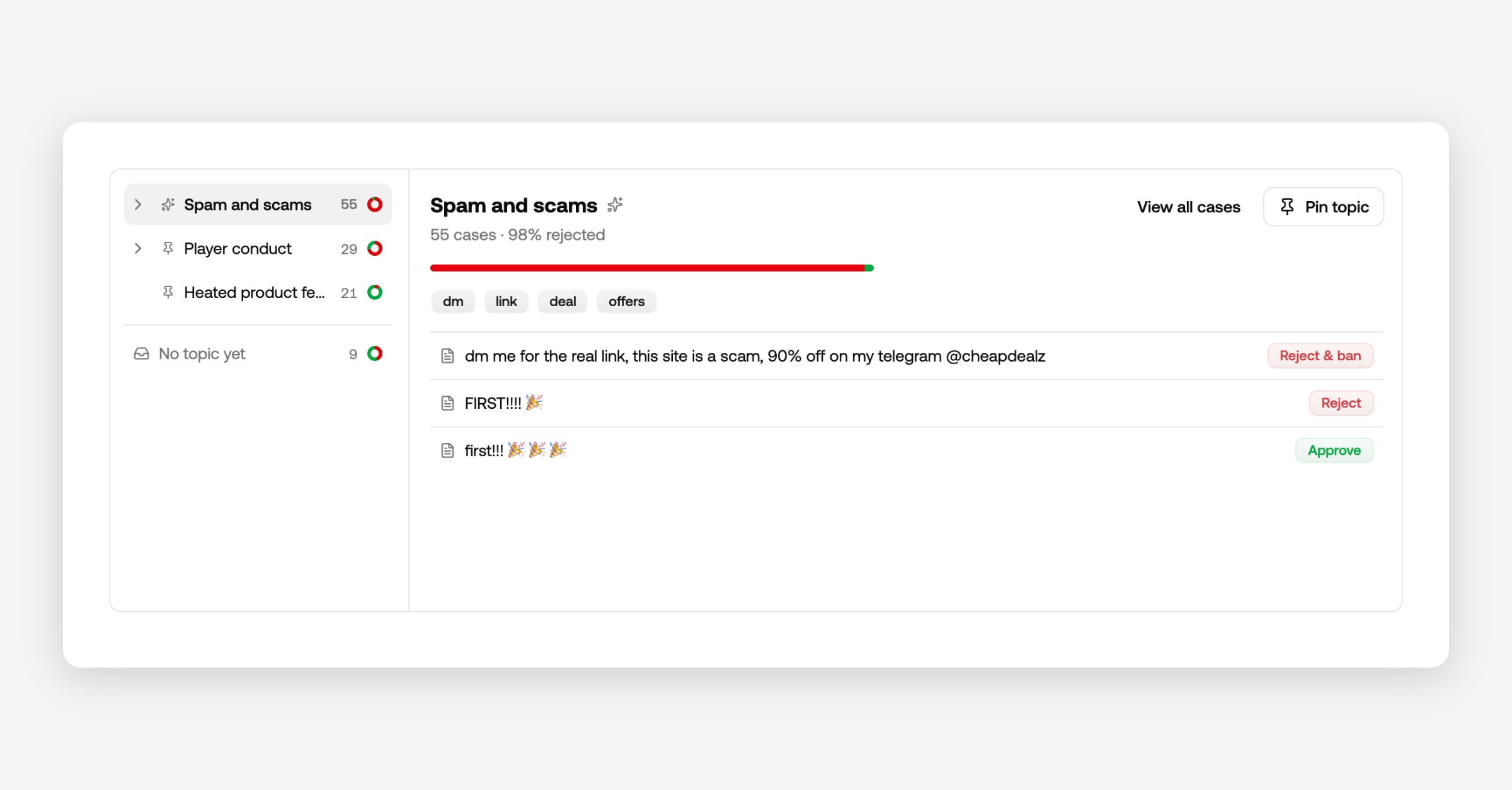
Pin a topic to keep it. A pinned topic keeps its name and is never reorganized. Then go to your rules, pick Casebook → Topic, and decide what happens to it: always review it, always reject it, whatever fits your platform.
Turn it on
Your reviews already go into Casebook. To let Casebook act on them, open your channel's rules and enable the Casebook lookup row. Then test it in the playground: an item flagged for firearms, allowed by Casebook, final recommendation allow.
New channels on Growth and above have this on from the start. Moderation results carry the Casebook verdict, confidence, and topic, so you can see why an item was allowed or rejected.
Casebook in the review inbox
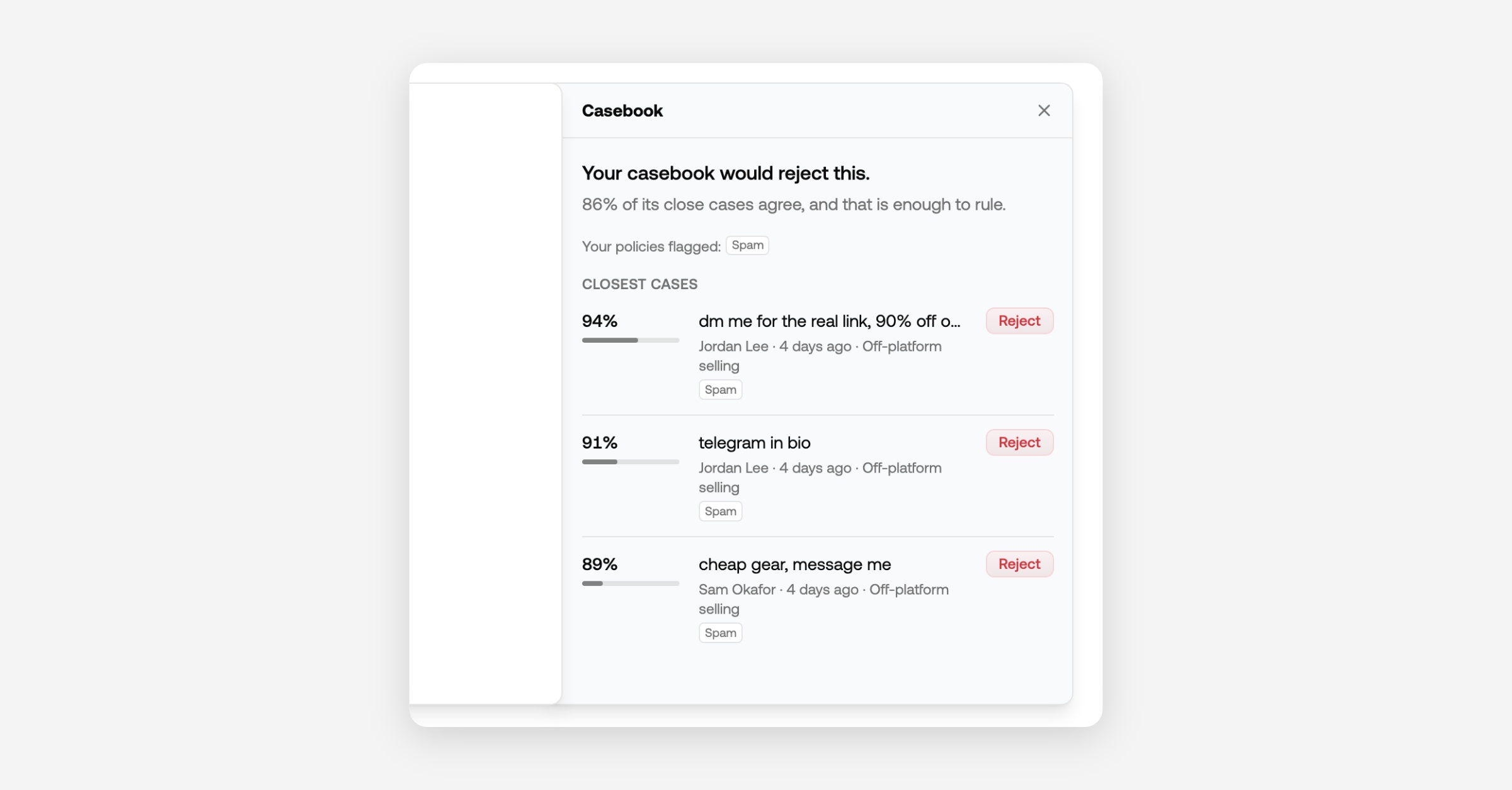
Open an item and pull the Casebook bookmark at the right edge. It shows the most similar cases and how you ruled on them, so you decide with your history in front of you.
Start with what you already have
Press Import on the Casebook tab to replay the last 90 days of review decisions, or upload a CSV from another tool. It runs in the background, and cases Casebook already holds are skipped.