
Moderation api changelog
Custom Models
Train a model on your own messages, so moderation follows the rules only your platform has.
Built-in policies know what spam or hate looks like in general. They don't know your rules, like whether sharing a phone number is fine on your platform or a reason to reject.
Today, you can teach them. A custom model learns the labels you care about from your own messages, and you build it yourself in Model Studio.
How it works
Train on up to 25,000 examples: each model learns from up to 25,000 labelled messages, up from 5,000.
Make one model per decision: for example, one for off-platform payments and one for contact sharing. Each model has its own labels and examples.
Helps you label examples in real time: after each label has 10 examples, the model suggests labels as you work. Press Enter to accept a suggestion.
Build a model in four steps
Model Studio walks you through each model in four steps, and saves your work as you go.
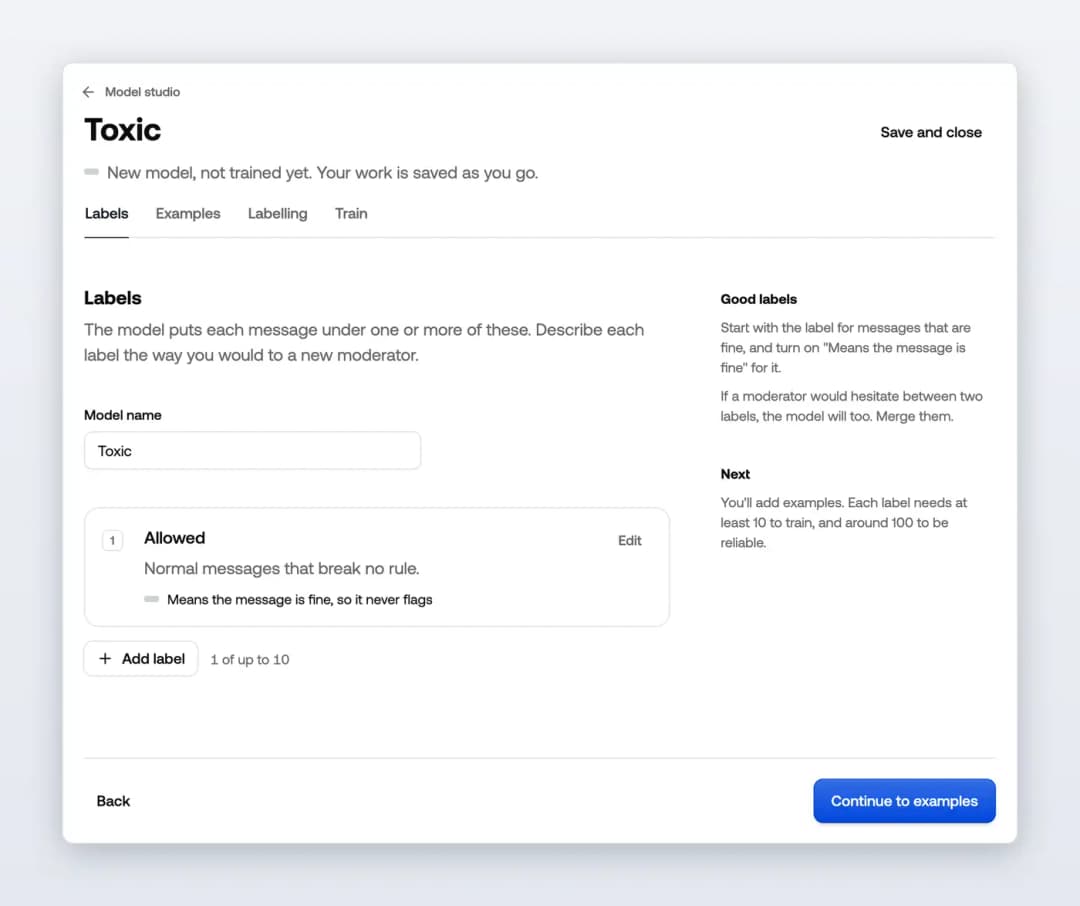
Labels. Add up to 10 labels and describe each one the way you would to a new moderator. Mark the label for normal messages as Means the message is fine, so it never flags.
Examples. Bring in messages from wherever you have them:
A review queue, where your reviewers' decisions become labels, so there's the least work.
A CSV or Excel file with one column of messages, and a label column if you have one.
Recent messages your projects already sent us, for when you have nothing curated yet.
Another model, copying its examples and labels.
Write them yourself, one message at a time.
Labelling. Go through the messages that have no label yet. Once each label has 10 examples, the model starts suggesting labels.
Train. Each label needs at least 10 examples to train, and around 100 to be reliable.
See how well it works
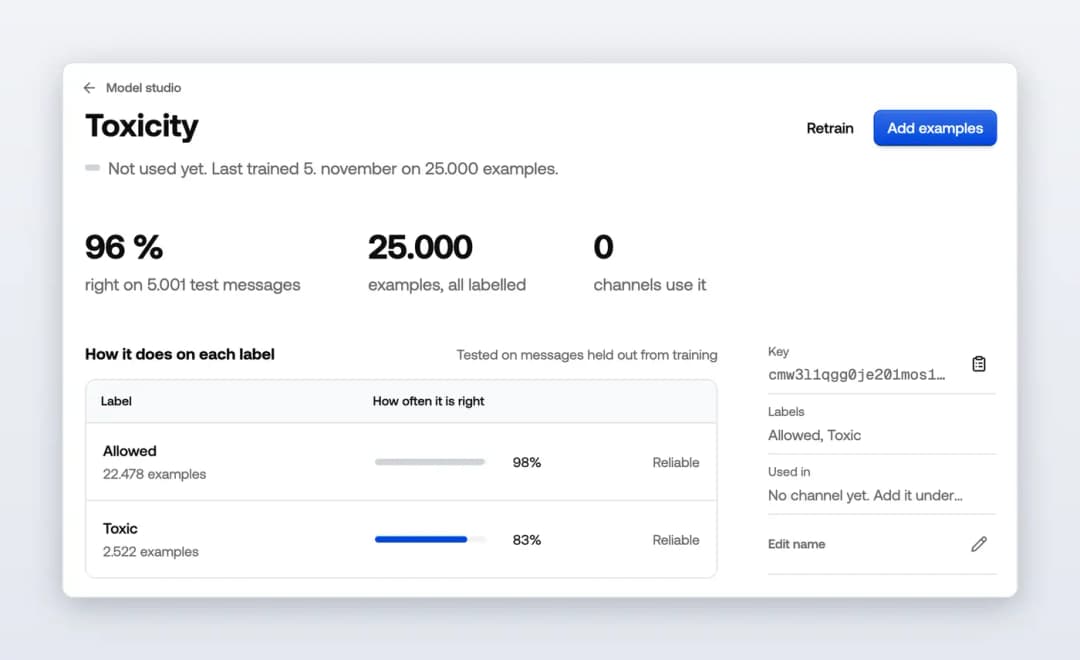
An honest score. One in five examples of each label is kept aside during training. The model labels those messages it hasn't seen, and the score is how often it agreed with you, shown for each label.
See where it goes wrong. Every test message the model got wrong is listed, with what it said and how sure it was. Fix the labels or add examples, then retrain.
Try a message. Type any message to see how the model labels it before you use it anywhere.
Your examples stay yours. Export a model's examples as a CSV at any time.
Put it to work
Add a trained model to a channel: go to Policies and open Custom models. It starts sorting messages from the next one. When you retrain, channels keep using the current version until the new one is ready.
Open Model Studio and select New model to start.